


Have you ever experienced a sudden power outage while using several electronic devices at the same time? Or maybe you feel your electricity bill has increased without any clear reason? The problem might be related to a mismatch between your installed electrical power capacity and the needs of the electronic devices in your home.
Knowing your home's electrical power capacity is not just about reading numbers on a meter. This information is key to managing your electricity usage wisely, avoiding short circuit risks from overloads, and determining whether you need to increase your power or not. So, how can you check it? Below are three ways you can do it.
1. Checking Electrical Power Through the Meter
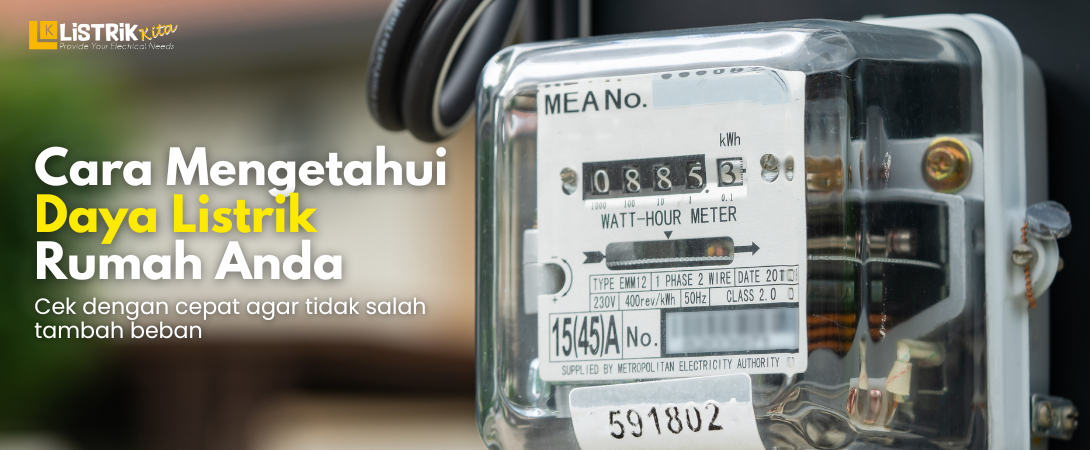
The electricity meter is the most accurate source of information about your home's electrical power. Every home registered as a PLN customer has a meter that shows various electrical data, including the installed power capacity. Nowadays, most homes in Indonesia already use digital meters, both prepaid (token) and postpaid.
How to Read the Codes on an Electricity Meter
If you have a newer model digital meter, don't be confused trying to find the words "Watt" or "VA" manually. Just look at the meter screen, which usually displays a series of codes and numbers alternately. Each code has its own meaning.
First, look for code 09 on the meter screen. For some meter brands, this code indicates information about electrical power. If you can't find code 09, look for a symbol that looks like the letter W or the word Watt. Second, read the number that appears after that code. This number is usually followed by the unit kWh (kilowatt-hour), but what you need to pay attention to is the number itself. For example, if the number 1300 appears, it means your home's electrical power is 1,300 VA (Volt Ampere). If the number shown is 2200, it means your power is 2,200 VA, and so on.
As additional information, on prepaid meters, you can also see the power capacity clearly written at the bottom of the LCD screen or on your last receipt when buying token electricity. Usually, it will clearly state "Power: 1300 VA" or "Power: 2200 VA." This method is quite easy because it doesn't require any other device besides the meter itself.
2. Checking Electrical Power Through the PLN Website
If you don't want to go outside or your meter is in a hard-to-reach location, don't worry. You can now check your electrical power online through the official PLN website. This method is very practical because it only requires an internet connection and your customer ID number, which is usually on your monthly electricity bill receipt.
First, open your browser and visit the official PLN website at www.pln.co.id. Once the main page loads, look for a menu that says "Customer" or directly find the "Power Information" option, usually available in the customer service section. Second, enter your Customer ID or Meter Number correctly in the provided field. Make sure the number is correct so the displayed data is accurate. Third, click the "Search" or "Submit" button. Within seconds, the system will display complete information about your home's electrical profile, including the owner's name, applicable electricity tariff, and most importantly, the electrical power in VA.
The advantage of this method is that you get official data directly from the PLN database. Additionally, you can also view your usage history and bills if needed. However, make sure your internet connection is stable so the search process runs smoothly.
3. Checking Electrical Power Through Bill Payment Applications
In today's digital era, almost everything can be done from the palm of your hand, including checking electrical power. You don't need to bother opening a browser or typing a website address. Just rely on applications on your smartphone. The official PLN application called PLN Mobile or marketplace applications that provide electricity services like Tokopedia, Shopee, Bukalapak, and digital wallet applications like Dana and Gojek usually provide this feature.
How to Check Power in PLN Mobile
For those who want to use the official application, here are the easy steps. Download and open the PLN Mobile application installed on your phone. If you don't have an account yet, register first using your customer ID. After successfully logging in, customer data will appear directly on the main page or dashboard. There you will find various information, including the Power (VA) installed in your home. You can also access various other features such as token purchases, disruption reports, and self-meter recording.
How to Check Power in Online Shopping Applications
If you frequently use e-commerce applications for your daily needs, checking power here can be the fastest alternative. First, open your e-commerce application, then go to the "Electricity, Water, and Electronic Money" menu or directly look for the "Electricity Token" or "Pulsa" menu. Second, enter your customer ID number in the provided column, just like when you want to buy an electricity token. Third, without needing to complete the transaction, the system will usually automatically display the customer's name and electrical power on your phone screen. This method is very effective because you don't need to bother entering additional data or logging into the PLN Mobile application.
The Function of Knowing Your Electricity Meter's Power Capacity
Knowing your electrical power capacity is not just about satisfying curiosity. This information plays an important role in managing household electricity better and more efficiently. Here are some of its main functions.
Can Determine Whether to Increase Power or Not
By knowing your installed power, you can calculate the total electricity consumption of all electronic devices in your home. Try calculating the total watts used when you run the AC, refrigerator, washing machine, iron, and television simultaneously. If the total watts often exceed your installed power capacity, the risk of a power outage or the MCB tripping is very high. In this situation, you need to consider increasing your power so that household activities are not disrupted and your electronic devices last longer.
Helps Manage the Use of Electronic Devices
For those of you still using limited power like 900 VA or 1,300 VA, knowing your power capacity helps you schedule the use of high-power electronic devices. For example, you can avoid using the iron, water dispenser, and washing machine at the same time. Simply schedule their use so they don't overlap, and your home electricity will remain safe and stable. This small habit actually has a big impact on the comfort and safety of your home's electrical installation.
Learning to Save Electricity
Awareness of the maximum electrical power limit automatically makes you wiser in using electricity. You will think twice before turning on unnecessary devices. Habits like turning off lights during the day, unplugging unused chargers, or using energy-efficient electronic devices will develop naturally. In the end, this saving behavior will make your monthly electricity bill or token purchases lighter and more budget-friendly.
Checking your home's electrical power capacity is not difficult, is it? You can do it directly through the meter, visit the PLN website, or use applications on your phone. By knowing your electrical power, you can manage the use of electronic devices more wisely, avoid the risk of power outages, and save on monthly expenses.
Now, after knowing your home's electrical power, make sure you always have enough electricity supply so your daily activities are not disrupted. If you need a KWH meter or other quality electrical equipment, don't hesitate to visit Listrik Kita. We provide various electrical needs at affordable prices with original products.
